



 This is a continuation in a series on easy to do color and monochrome cartridges you may be passing up but shouldn’t be. They represent some of the best profit opportunities currently in our industry. These cartridges are all very simple, and with a good majority of them there is nothing to test! Training is minimal and in all cases the time needed to do them is very small. For the purposes of these articles, we will not be going in depth but to be honest there really is no need. Some use chips while some do not. Some have waste chambers and others are purely a supply hopper. All of this will be covered.
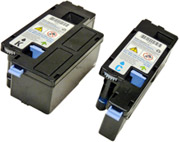
Dell 1250/1350/1355 Toner cartridge
The Dell 1250 cartridges are rated for 2000 pages black and 1400 pages color. The OEM numbers are 331-0778 Black, 331-0777 Cyan, 331-0780 Magenta, and 331-0779 Yellow. There is a chip that must be replaced every cycle.
NOTE: The black cartridge is physically larger than the colors.
1) Remove the top cover by taking a flat head screwdriver and prying out the 5 tabs.
2) Remove the top cover.
3) Pry out the two tabs on the end cap and remove.
4) Remove the fill plug and clean out all remaining toner.
5) Press in on the waste toner port and vacuum all the waste toner out from the cartridge.
6) Fill the hopper with the appropriate color toner. Replace the fill plug.
7) Replace the chip in the end cap by lifting it slightly and sliding it out.
8) Install the end cap by snapping it in place.
9) Install the top cover. Make sure the two gears and the blue handle are in place.
Dell 2130/2135 Toner Cartridge
NOTE: The 2130 and 2135 printers use similar cartridges but use different part numbers
The Dell 2130CN cartridges are rated for 1000 or 2,500 pages, depending on the fill. The OEM numbers are 330-1416 LY Black, 330-1436 HY Black; 330-1417 LY Cyan, 330-1437 HY Cyan; 330-1419 LY Magenta, 330-1433 HY Magenta; and 330-1418 LY Yellow, 330-1438 HY Yellow.
The Dell 2135CN cartridges are also rated for 1000 or 2,500 pages, depending on the fill. The OEM numbers are 330-1385 LY Black, 330-1389 HY Black; 310-1386 LY Cyan, 330-1390 HY Cyan; 330-1388 LY Magenta, 310-1392 HY Magenta; and 330-1387 LY Yellow, 330-1391 HY Yellow.
Both have chips that must be replaced each cycle.
1) Remove the black tape from the seam of the supply hopper and the waste chamber. Save the tape for use when re-assembling the cartridge.
2) Press in on the two tabs of one side as shown to release the waste chamber. It is sometimes helpful to press back on the waste chamber as the tabs are pressed in.
3) Remove the supply hopper cover. Clean out any remaining toner from both chambers.
4) Fill the hopper with toner for use in the Dell 2130/2135. Remember, while the cartridges all look the same, they are not interchangeable. Each color has a different set of plastic tabs. See Figure 16
5) Clean the plastic lip where the hopper cover sits of any toner, replace the cover.
6) Install the waste chamber on to the supply hopper. Make sure all four tabs are locked in place.
7) Re-install the black tape seal across the seam. If the OEM tape is not useable, good black Rubber electrical tape (NOT the vinyl type) will work fine. (Toner will stick to anything made from vinyl).
8) Carefully pry up the plastic chip holder tab.
9) Slide the holder out of the cartridge and replace the chip.
10) Slide the holder back in place until the tab locks in place.
Dell 5130 Series toner cartridge
The Dell 5130 Series cartridges are rated for 18000 pages black and 12,000 pages color. The OEM numbers are 310-8092 Black, 310-8094 Cyan, 310-8096 Magenta, and 310-8098 Yellow. There is a chip that must be replaced every cycle.
1) Pry up on the colored end cap by lifting up all four tabs.
2) Remove the colored end cap.
3) Remove the fill hole seal and place aside.
4) Open the toner port and clean out any remaining toner. Close the toner port.
5) Fill the cartridge with toner for use in the Dell 5130. Replace the fill hole seal. See Figure 33. If the seal is damaged or is leaking the seal for the Samsung CLP-300 can be used.
6) Align the two marks on the end cap and tube. Install the end cap on the cartridge.
7)Using a small Jeweler’s type screwdriver, pry up the chip through the small slots underneath and slide it out. Replace the chip.
Epson LPS-5000 toner cartridge
The Epson LPS-5000 cartridges are rated for 6,500 pages black and color. The OEM numbers are LPCA3T12K Black, LPCA3T12C Cyan, LPCA3T12M Magenta, and LPCA3T12Y Yellow. There is a chip that must be replaced every cycle.
1) Carefully pry up the locking tab on the toner port. Slide the cover off the lock.
2) Slide the entire cover back to open up the ports.
3) Vacuum the tube clean through the second port and fill with toner for use in the Epson LPS-5000. Leave the fill plug and the first port alone as it contains developer.
4) Fill the second port with toner for use in the Epson LPS-5000.
5) Seal both ports with a new seal and use a clear tape.
6) Pry up the chip cover and then the chip from the end cap and replace.
7) Slide the port cover back in place.