



By Mike Josiah and the Technical Staff at Uninet
The Xerox Phaser 3330 series of printers were first released in October 2016. They are based on a 35-42 ppm (Depending on the model #), 600 Dpi (max 1200 DPI) engine. The first page out is stated to be under 6.5 seconds.
All machines released so far come standard with 512Mb memory up to 1.5GB depending on the model, and have a duty cycle of between 50 and 80,000 pages per month.
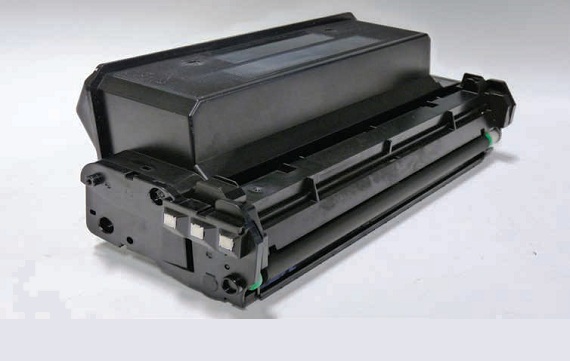
There are three possible toner cartridges in this engine and also a separate drum cartridge. The Std. Yield toner is rated for 2600 pages, the High Yield is rated for 8,500 pages and the Extra High Yield is rated for 15,000 pages. The drum unit which will be covered in separate instructions is rated for 30,000 pages.
The toner cartridges come with a plastic protector on them. It’s highly recommended that you save and re-use the OEM cover until aftermarket covers become available. See Figure 1
Printers based on this engine:*
Xerox Phaser 3330
Xerox WorkCentre 3335 MFP
Xerox WorkCentre 3345 MFP
106R03624 Extra HY Toner 15,000 pages $269.99*
106R03622 HY Toner 8,500 pages $189.99*
106R03620 STD Toner 2,600 pages $99.99*
101R00555 Drum Cartridge 30,000 pages
* As of 3/1/16
Required Tools
1) Toner approved vacuum.
2) A small Common screw driver
3) A Phillips head screwdriver
4) Needle nose pliers
5) Chisel blade knife
6) Electric drill
7) #29 drill bit (See supplies needed below)
8) Dremel type rotary cutter with small circular blade
Required Supplies
Replacement toner for use in the Xerox Phaser 3330
Replacement chip
Conductive Grease
If using the #29 drill it, we recommend #8 x ¼” self-tapping screws. If not make sure you match the drill size to your screws and the screws cannot be longer than ¼” (6.35mm)
1) Place the cartridge with the handle facing you.  Slice off the 2 plastic rivets with a Square Xacto type blade on the contact end cap.
2) Press in on the three tabs. One on the top and two on the bottom and pry off the end cap.
3) On the opposite side of the cartridge, Slice off the 2 plastic rivets with a Square Xacto type blade.
4) Press in on the three tabs. One on the top and two on the bottom and pry off the end cap.
5) Press in on the two top tabs and remove the doctor blade cover.
6) Carefully remove the gear plate.
7) Remove all the gears.
8) Remove the developer roller. Make sure you don’t lose the two green bushings!
9) Remove the two screws and the Doctor Blade.
10) Remove the fill plug and clean out any remaining toner from the supply chamber.
11) When a seal is available install it now.
12) Using a Rotary tool with a circular blade, cut out the frame of the chip holder. This is the only way to get to the chip. You can cut it off with a good rigid box cutter, but the plastic is hard and that will be very dangerous.
13) Remove the chip holder frame and the old chip.
14) Install two small pieces of double  sided
sided tape on
 each side of the chip holder. Install the chip and the frame. Use thin strips of good electrical tape to cover the chip frame and to hold it in place. You could use a 100% black silicon here too.
15) Install the cleaned developer roller long shaft to the gear side of the cartridge. The green bearings fit outside the toner bay.
16) Install the Doctor Blade and two screws.
17) Install the seven gears as shown. (two gears will be loose).
18) Install the Gear plate.
19) Install the top doctor blade cover.
20) Install the gear side end cap. Make sure all the tabs lock.
21) Fill the cartridge with toner approved for use in the Xerox Phaser 3330 and replace the fill plug.
22) Install the contact side cover. Make sure all the tabs lock
23) Using a #29 drill bit, Drill out the centers of all four plastic rivets,(two on each side).
24) Install four #8 x ¼” self-tapping screws into the four holes.
25) Install the developer roller cover.