



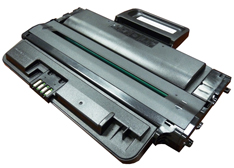
 The Xerox WorkCentre 3210/3220 printers are based on a 30 ppm, 1200 dpi engine. The first page out is stated to be under 8.5 seconds, and the printer comes standard with 128MB of memory,(Expandable to 384MB).Duplexing is also built in (3220 only). Both of these machines are print/copy/scan and fax capable.
These cartridges do not have a drum cover, and come new with a piece of heavy paper taped around the cartridge. All new cartridges opened so far have shown some toner leakage on the drum that would have shown on any prints for at least a few pages.
The standard cartridge Xerox part# (10601485) is rated for 2,000 pages. The HY cartridge Xerox part# (106R0146) is rated for 4,100 pages. As with pretty much all cartridges these days the cartridge has a chip and it has to be replaced each cycle.
shows the basic machine/cartridge component layout including the paper path with duplexing. The workings are pretty straight forward so we will not go into the theory here.
The machines currently based on this engine are:
WorkCentre 3210
WorkCentre 3220
A Repetitive Defect chart for this engine will be listed at the end of the instructions
Required Tools
1) Toner approved vacuum.
2) A small Common screw driver 3) A Phillips head screwdriver
4) Needle nose pliers
Required Supplies
Toner for use in the Xerox WorkCentre 3210/3220 (Std or HY load)
Dedicated replacement chip (Std or HY)
Note: Make sure you have the correct load of toner to match the Std or HY chip! The chips are also regional so make sure you have the correct chip for our region!
Conductive Grease
99% Isopropyl alcohol
Drum lubricating powder
1) Place the cartridge with the handle up, facing towards you. Remove the three screws from the right side end cap.
2) On the left side end cap, remove the three screws.
3) While still on the left end cap, locate the top tab. Press in on the tab, and remove the end cap. The drum axle may come out with the end cap. Separate the two.
4) On the right side end cap, press in on the top tab and remove the end cap.
5) Separate the two halves slightly, and lift off the middle top cover.
6) Lift up on the drum/waste hopper and remove. If the drum axle came loose, be careful to hold the drum so it does not become damaged. Remove the drum/waste assy.
7) Remove the drum axle from the large gear side of the waste assembly. Remove the drum.
8) Remove the PCR from the assembly.
9) Remove the PCR cleaning roller.
9) Clean the PCR with your normal PCR cleaner.
WARNING: Do not clean the OEM PCR with alcohol, as this will remove the conductive coating from the roller. If the PCR is an aftermarket, follow the cleaning methods recommended by the manufacturer. If the PCR is an OEM, we recommend it be cleaned with your standard (non-solvent based) PCR cleaner.
10) Remove both the PCR holders by pressing in on the tabs at the bottom of the holder. These holders need to be removed to allow access to the wiper blade.
11) Remove the two screws from the wiper blade, remove the blade.
12) Clean out all the waste toner from the hopper. Make sure the seal are clean.
13) Install the cleaned or new wiper blade and two screws.
14) Install the two PCR holders.
15) Blow off or vacuum the PCR cleaning roller. Install in the waste hopper.
16) Place a small amount of conductive grease in the holders, and install the PCR.
17) The large gear side of the drum axle shaft has conductive grease on it. Regardless of if you are replacing the drum or not, clean the old grease off, and replace with new.
18) Install the drum and axle from the small gear side of the drum into the waste hopper. Make sure the keyed end of the shaft is on the large gear side.
19) On the supply hopper, carefully pry out the fill plug and dump out any remaining toner. The fill plug can be difficult to remove as it is recessed. Take a small common screwdriver and work it around the edge lifting slightly until it comes loose.
20) Remove the developer roller.
21) Remove the 2 screws from the doctor blade, remove the blade.
22) Clean out all the remaining toner from the hopper.
23) Make sure the doctor blade sealing foam and the developer rollers seals are clean and intact.
24) Clean the Dr. Blade edge so there is no evidence of build up along the edge. If any buildup exists, the cartridge will streak. This blade can be cleaned with your preferred DB cleaner.
25) Install the doctor blade and two screws.
26) Clean the developer roller with a dedicated DVR cleaner, and replace into the hopper.
27) Fill the hopper with toner for use in the 3210/3220 toner cartridge, replace the fill plug, and check for leaks.
28) Fit both sides of the waste hopper tabs into the toner hopper.
29) Slide the middle top cover/PCR assembly into place. Make sure all the middle tabs fit under the edge of the waste hopper.
30) Clean the contacts on the left side end cap, and replace the conductive grease. Align the drum axle keyed end so it will fit into the keyed slot of the end cap. Snap the end cap into place.
31) Install the three screws into the end cap.
34) Clean the contacts on the right side end cap, and replace the conductive grease. Snap the end cap into place, and replace the three screws.
35) To replace the chip, drill out the two plastic rivets with a small drill, remove the cover, and chip.
36) Install the new chip and cover, insert 2 small screws that correspond to the holes drilled to hold everything in place.
Common Cartridge Problems
Repetitive defect chart:
Upper heat roller: 77.8mm
OPC drum: 75.5mm
Lower pressure roller (1st): 62.8mm
Lower pressure roller (2nd): 37.7mm
Supply Roller: 47.1mm
Transfer roller: 47.0mm
Developer roller: 35.2mm
PCR 26.7mm